
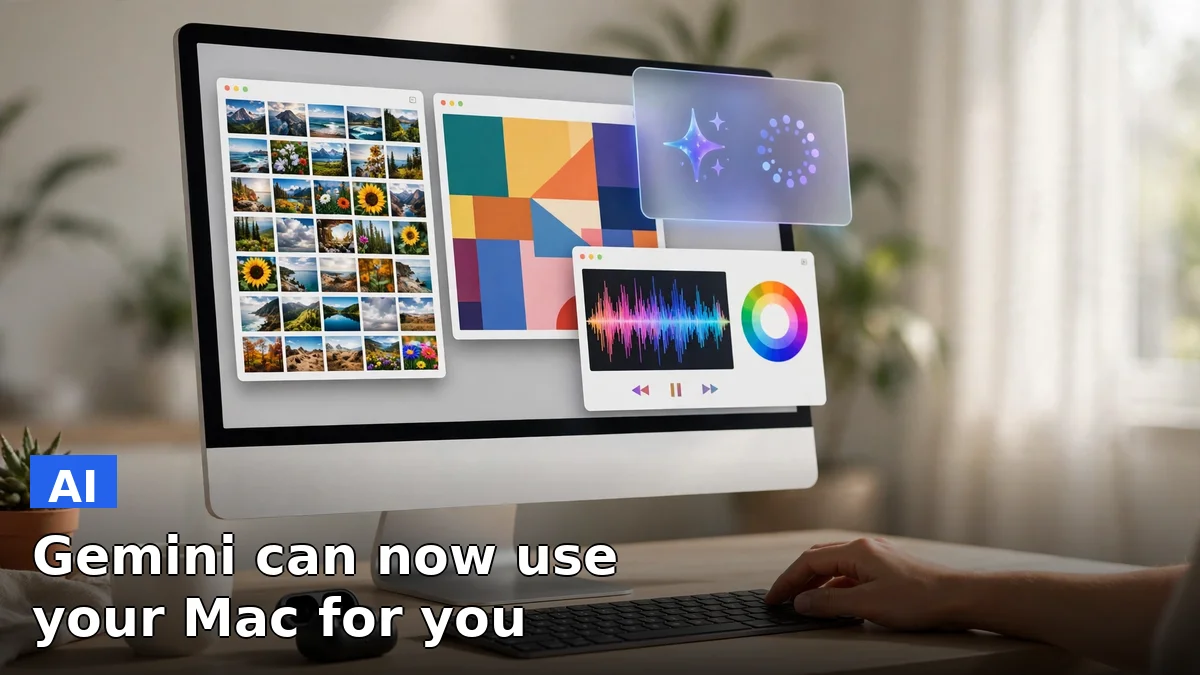
Google gave its Gemini app for Mac a mouse on Thursday, November 19. Computer use, the feature that lets Gemini see your screen and operate apps on your behalf, started rolling out to Mac users that day, after months on Windows PCs. Describe what you need in plain language, and it handles the clicking, typing, menus and forms.
The catch is who gets it first. Gemini computer use on Mac is limited to US English accounts on Google’s paid tiers (AI Plus, Pro and Ultra), and it is rolling out gradually, so plenty of paying subscribers will not see it on day one. Free users are out entirely.
“Just describe what you need, and Gemini handles the clicking, typing, menus, and forms for you,” Michael Friedman, group product manager for the Gemini app, said in Google’s announcement.
The pitch is simple: you talk, it clicks.
How Gemini computer use works on Mac
Gemini reads your screen through screenshots, then clicks, types, scrolls and navigates programs and websites to carry out the job. The work happens in an isolated background window, with a live preview inside your chat, so your main screen and cursor stay yours. You can keep typing an email or take a call while the agent grinds through a 40-click chore in the background.
Control stays with you, at least on paper. You pick which apps Gemini is allowed to touch, watch each step as it lands in the preview, pause the task at any point, and approve key actions before they run. Gemini stops by itself at logins, payments and anything Google classes as sensitive.
Two macOS permissions come first, and both are the same gates Apple uses for any app that views or controls the screen. Accessibility lets an app press buttons and type for you, while Screen and System Audio Recording lets it see the display so it can find a button before it clicks it. Without those two toggles in System Settings, the agent cannot do anything at all.
What you can actually do with it
Google’s examples are deliberately unglamorous, and that is the tell. The feature is built for narrow, repetitive, interface-bound work with a stable screen and a checkable result — not for open-ended thinking.
Batch color-grade a folder of photos in your design software, or set up a complex 3D scene. Pull weights, dimensions and addresses out of local PDFs to fill a multi-box shipping quote. Collect metrics and screenshots from live dashboards across several regions and build the deck in Google Slides. Or hand it a folder of clothing photos, let it research prices, log the details and stage the listings on a resale platform like eBay.
None of that needs a smarter model. It needs an agent willing to sit through the forty clicks.
One early snag shows the rollout is still rough at the edges. A Macworld reporter who installed Gemini to test the feature kept getting the older version, 1.147.5.1526, which does not include computer use at all. If the download still hands you the old build, the answer is to check back later — the rollout is reaching accounts in waves.
The catch: paid, US-only, and permission-heavy
The limits stack up fast. Computer use on Mac needs a paid subscription, a US English account, and a gradual rollout that may not have reached you yet. Google has said nothing about when free users, or users outside the US, get a turn. The Gemini app for Mac exists in other countries, but the new controls do not travel with it.
That matters because the most obvious users are the ones doing the boring work for free. A freelancer batch-listing thrift finds on eBay or a small business owner filling shipping forms is exactly who would benefit — and exactly who is least likely to pay for AI Plus, Pro or Ultra to get it.
Privacy is the other question, and Google’s answer is a set of guardrails rather than a promise. The agent only touches apps you approve, every action shows up in the live preview, and sensitive steps need your sign-off. But the whole point of the feature is handing an AI the keys to your screen. If you would not let a stranger sit at your desk and click around, you should think twice before letting a model do it — even one that asks permission first.
Why this matters
Gemini computer use on Mac is the clearest sign yet that the AI race has moved past chat. The contest now is over who gets to act on your computer, not just who answers your questions. Anthropic’s Claude and a handful of startups already ship computer-use agents, and Apple is reportedly building a similar Mac agent of its own. Google’s edge is distribution: Gemini already lives on millions of Macs, and now it can use them.
Whether people trust it is a separate question. An agent that can fill a form can also misread one, click the wrong button, or paste the wrong figure into a spreadsheet. Google’s design, with its background window, live preview and approval gates, is built to earn that trust one supervised task at a time. The rollout will tell us if that is enough, or if most Mac owners decide their mouse is fine where it is.
For now, the feature belongs to a small group: paying US subscribers with the newest build. Everyone else watches from the sidelines, which is probably where Google wants them — close enough to want it, far enough to pay for it.
FAQ
What is Gemini computer use on Mac?
It is a mode in the Gemini app for Mac where Gemini can click, type, open menus and fill in forms inside desktop apps and websites to finish multi-step tasks. It works in an isolated background window with a live preview in the chat, so your screen and cursor stay free while it works.
How much does Gemini computer use on Mac cost?
There is no separate charge, but it requires a paid Google AI Plus, Pro or Ultra subscription. Free Gemini accounts do not get the feature, and Google has not announced a free tier for it.
Is Gemini computer use on Mac available outside the US?
No. The rollout is limited to US English accounts for now. Google has not announced dates for other countries or languages, so users elsewhere get the Mac app without the new controls.
Is it safe to let Gemini control my Mac?
You choose which apps Gemini can use, watch every step live in the chat preview, pause the task at any time, and approve key actions before they happen. Gemini stops on its own at logins, payments and actions Google classes as sensitive, and macOS still requires Accessibility and Screen Recording permission first.
Sources: Engadget, Macworld, BetaNews, Phandroid, Gadgets Now, Google